
Ready to play
Your friend texts at midnight — last-minute gig, needs the set. You used to dig through Finder for 20 minutes. Now you hit export, send a ZIP via Telegram, and they're in Rekordbox in seconds — hot cues, loops, colors 100% intact.
B2B partner? Stop guessing who has which tracks and wasting booth time re-cueing from scratch. They get an exact mirror of your library layout. No surprises on stage.
Home iMac for curation, MacBook for gigs? Festival set you spent weeks on? LinkUp packs it, uploads to Google Drive, and keeps it safe. One click in. One click out.
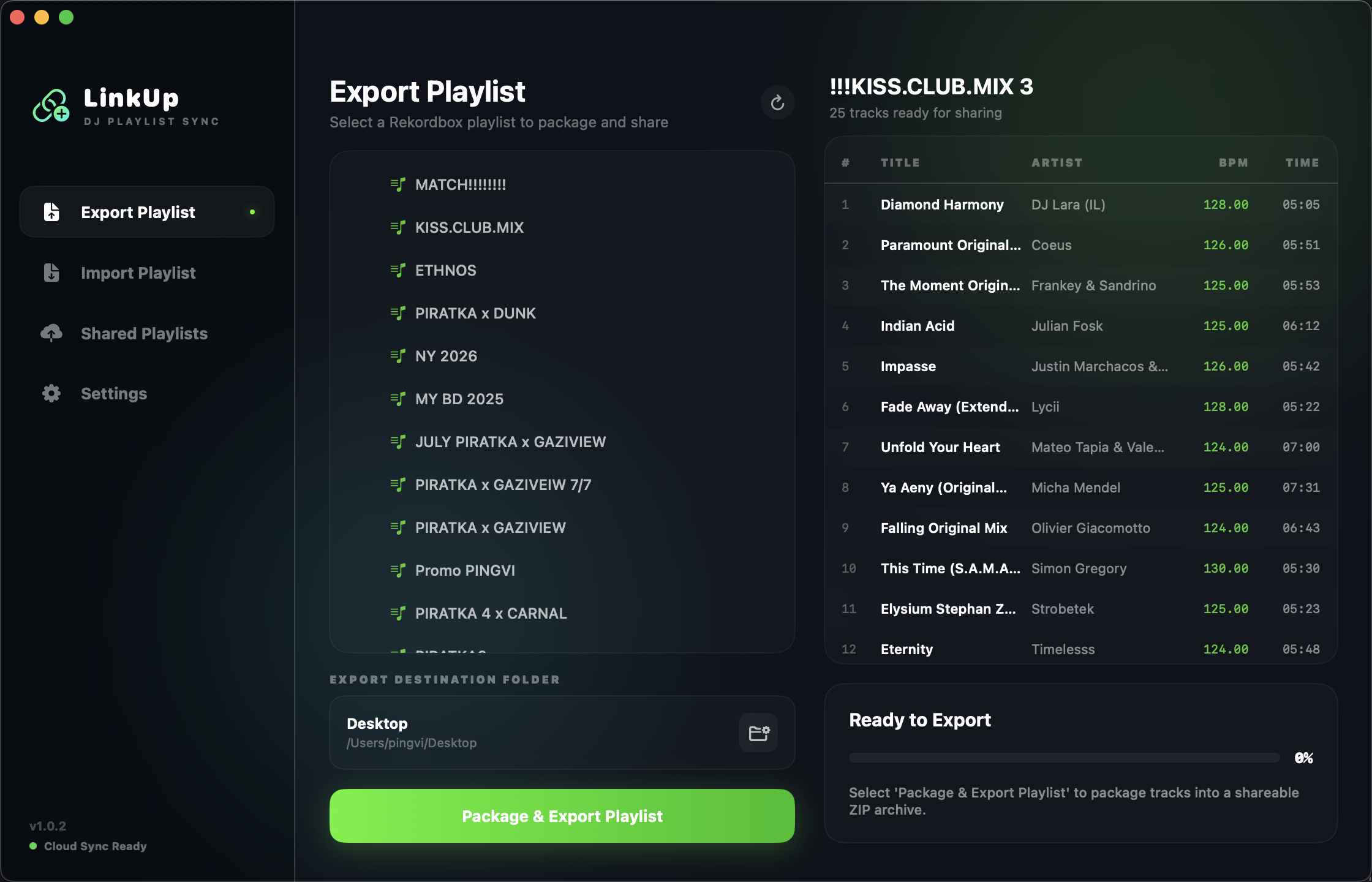
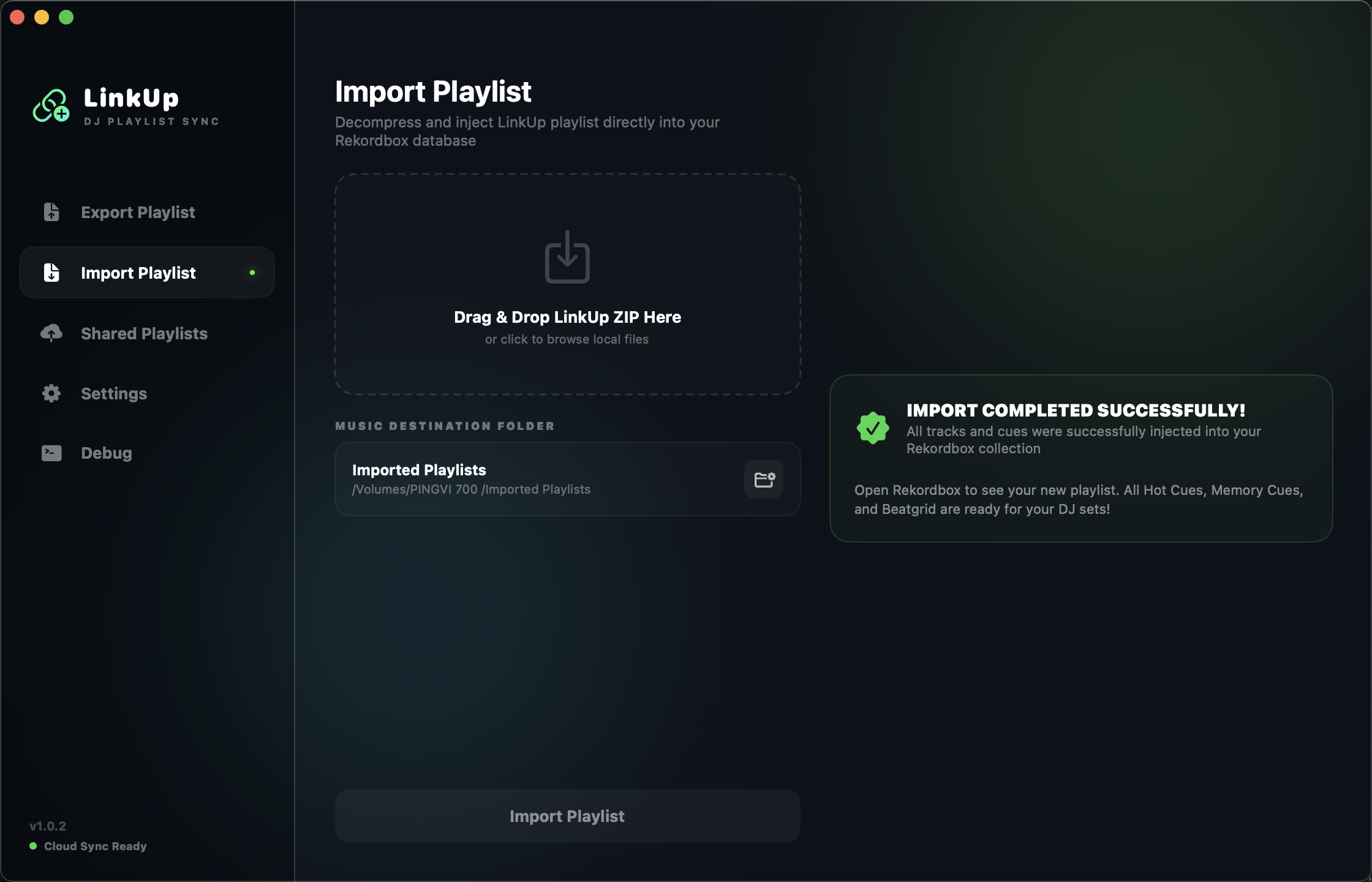
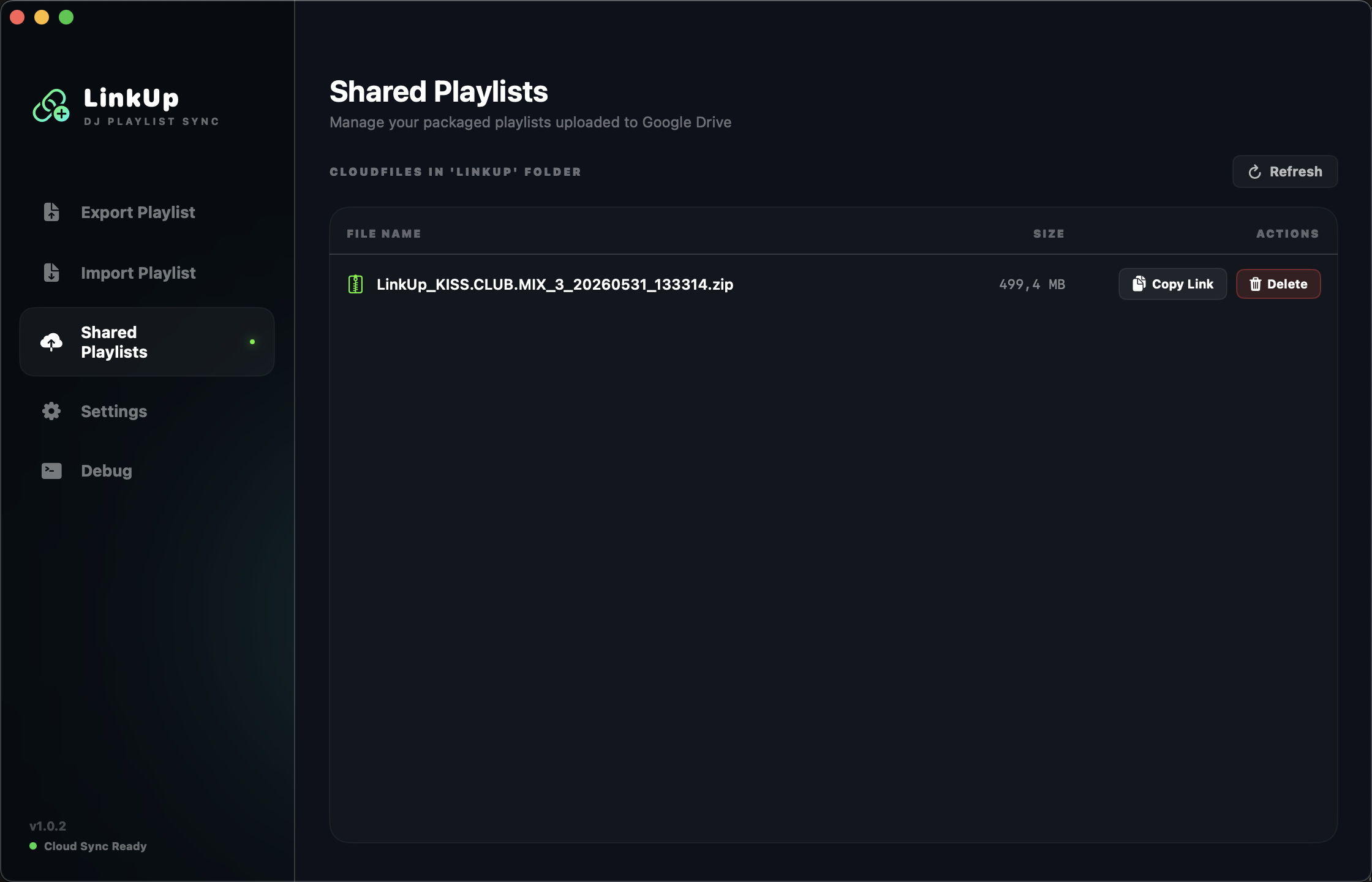
Everything you need to share and sync
Sharing a Rekordbox playlist used to mean manually copying tracks, sending loose files, and hoping nothing breaks. LinkUp packages your cue points, memory loops, and actual audio files into one cloud-ready archive — and gets it to your B2B partner in seconds.
One-Click Playlist Export & Share
Select a playlist, hit Export. LinkUp bundles every track, cue point, and loop into a single ZIP, uploads it to your Google Drive, and hands you a shareable link — all without leaving the app. Your B2B partner gets the entire set, ready to import.
Full Cue & Loop Fidelity
Every hot cue color, memory loop, and waveform marker travels with the playlist. When your B2B partner imports it, their Rekordbox looks exactly like yours — no manual re-cueing, no missed markers, no surprises on stage.
100% Native macOS — Zero Bloat
Built in pure Swift 6.0 and SwiftUI. No Electron, no background daemons, under 40 MB of RAM. Asynchronous compression means the UI stays fully responsive while gigabytes of tracks are being zipped — with a live log showing every file in real time.
Google Drive Integration
LinkUp connects to your Google Drive with a single OAuth sign-in. Exported playlists are uploaded automatically, and the Shared tab gives you a live dashboard — storage quota, download links, deletion controls — all without opening a browser.
Auto-Updater & Silent Background Updates
LinkUp checks GitHub releases in the background and presents a native update sheet the moment a new version ships — no manual downloads, no browser, no interruption to your workflow.
Consistent, Reliable Packages
Every exported archive includes a structured JSON manifest with track metadata and file paths. The importer reads this index to place tracks exactly where Rekordbox expects them — no guesswork, no broken library entries.
How It Saves Your Gig
Managing Rekordbox playlists outside of your own laptop is a nightmare. Loose files, missing cue points, Finder fights... here is how LinkUp solves your everyday DJ headaches.
1. "Bro, share that playlist!"
Your friend gets a last-minute gig and needs the ultimate set for that exact vibe. Instead of digging through loose folders, export the entire playlist via LinkUp in seconds. Send the ZIP via Telegram or AirDrop. They import it on their Mac, and boom — the playlist registers in Rekordbox with all hot cues, loops, and colors 100% intact.
2. The Flawless B2B Set
Prepping a collaborative set? Stop guessing who has which tracks and wasting precious booth time re-cueing files. Package your set, share it with your partner, and they get an exact mirror image of your library layout. No surprises on stage.
3. The "Two Macs" Setup
If you use a powerful iMac at home for library curation and a MacBook for live gigs, moving fresh playlists between them is a chore. LinkUp lets you bundle your prepared set on one machine and cleanly unpack it on the other in seconds — no loose tracks, no broken links.
4. The Backup Plan
Just spent weeks curating the perfect festival set? Pack it with LinkUp. The built-in Google Drive integration uploads your archive automatically and generates a shareable link. If your laptop crashes before a tour, your gold-standard sets are safe in the cloud.
How to Run on macOS?
Since LinkUp is a free independent utility, macOS Gatekeeper may show an "unsigned developer" warning during your first launch. Here are two secure, easy ways to bypass it:
Terminal Command (Recommended)
Fully strip the macOS quarantine attribute in one second. This permanently resolves any unsigned developer warnings:
xattr -cr /Applications/LinkUp.app
LinkUp.app into your Applications folder, copy the command above, paste it into Terminal, and press Enter. Done!
Finder Graphic Bypass
Open the application using the native macOS graphic user interface without running any command lines:
- 1 Open your Applications folder in Finder.
-
2
Hold the
Controlkey (or right-click) and click the LinkUp.app icon. - 3 Select Open from the context menu.
- 4 Click Open in the confirmation dialog. macOS will remember your decision forever!